












How to Turn On an Electric Fireplace: Step-by-Step Guide
Posted by Anna William on Jun 11th 2026
If you have just brought home a new unit and are wondering how to turn on electric fireplace models the right way, the good news is that it takes only a few seconds once you know where the controls are. In this guide, our team walks you through powering up your fireplace safely, adjusting the heat and flame, starting it without a remote, and fixing it when it refuses to switch on.
We have spent years helping homeowners set up fireplaces from brands like Napoleon, Dimplex, Modern Flames, and SimpliFire, so the steps below reflect what works across the most common models we carry.
Before You Turn It On: A Quick Safety Check
Electric fireplaces are the safest fireplace type you can own, but a few seconds of preparation keeps things running smoothly for years.
Start by plugging the unit into a dedicated 120-volt wall outlet. A standard 1,500-watt heater draws around 12.5 amps, and manufacturers typically recommend a dedicated 15- or 20-amp circuit, so avoid extension cords and power strips, which are not built to handle that kind of heating load and can become a fire hazard. A dedicated circuit also prevents the breaker from tripping while you run the heat.
Next, inspect the power cord. Look for cracks, exposed wires, bent plug prongs, or any burn marks or discoloration. Don’t use the device until the cord is replaced if you find damage.
Make sure the air vents are free of dust and debris so the fireplace can breathe and avoid overheating.
How to Turn On Electric Fireplace Units (Step by Step)
Here is the simple process that applies to most standalone units and electric fireplace inserts. Once you learn how to turn on electric fireplace models like these, the routine becomes second nature.
Step 1: Find the main power switch. Most units have a master power switch on the unit itself, usually on the front control panel, along the side, or just behind the lower louver. The remote or panel buttons won’t work until this switch is in the on position.
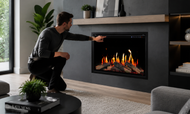
Step 2: Press the power button. With the master switch on, press the power button on the control panel or remote. Many models show a small light or play a short chime to confirm the unit is awake.
Step 3: Turn on the heat. The flame effect and the heater are often controlled separately. Press the heat button and choose a level. Low works well for small rooms or mild days, while high suits larger or colder spaces.
Step 4: Set your flame. Adjust the flame brightness, speed, and color to your taste, and that is the whole process. Most electric fireplace how to turn on questions really come down to these four steps once the master switch is on.
If you ever feel unsure about a specific model, your owner’s manual will confirm the exact button layout, since placement varies slightly by manufacturer.
How to Turn On an Electric Fireplace Without a Remote
Lost the remote, or is it sitting there with a dead battery? You can still run your fireplace. Here is how to turn on an electric fireplace without remote control access.
Look for the manual controls on the unit itself. On most models, they sit behind the lower vent grille, on the side of the firebox, or under a small flip-down cover on the front. You will usually find a master power switch plus basic buttons for power, heat, and flame. Flip the master switch on, then press the power button, and the fireplace will start just as it would with the remote.
If your model has very few manual buttons, you can often replace a lost remote with a universal fireplace remote or order a manufacturer replacement. In the meantime, the onboard controls handle everything you need day to day.
Using the Remote, Control Panel, and Smart App
Electric fireplaces give you several ways to take charge of the flame and heat.
Control panel: The buttons on the unit handle power, heat level, flame brightness, and timer settings. This is your fallback whenever a remote is misplaced.
Remote control: A handheld remote lets you adjust everything from across the room. Point it toward the fireplace and press power. If it is unresponsive, swap in fresh batteries and confirm the master switch is on.
Smart app and voice control: Many newer model units we carry connect to Wi-Fi. That lets you turn the fireplace on from your phone or with a voice assistant before you even walk into the room.
Most units also include a timer that shuts the heater off automatically after a set period, which is handy at bedtime or before you head out.
Adjusting the Heat and Flame Settings
Once your fireplace is running, you control comfort and ambiance independently on most models.
For heat, use the up and down buttons to move between low, medium, and high, or set a target temperature and let the built-in thermostat cycle the heater on and off to hold it. Lower settings sip less electricity and are ideal for smaller rooms.
For the flame, you can usually adjust brightness and speed, and many models offer color options beyond traditional orange. Units like the Napoleon Entice, for example, let you switch between a warm orange flame, a cool blue flame, or a blend of both, paired with a crystal ember bed for a modern look.
One of the best features is flame-only mode. This runs the visual flame with no heat, so you get the cozy glow year-round, even on a warm summer evening, while using very little energy.
Electric Fireplace Won’t Turn On? Troubleshooting
If your fireplace will not start, work through these checks before assuming it is broken. Most issues are quick fixes.
- Confirm power- Make sure the unit is plugged in firmly, then test the outlet with another device. Check your breaker panel for a tripped circuit and reset it if needed.
- Check the master switch- The number one reason a remote seems dead is that the master power switch on the unit is still off.
- Look at the thermostat- If the set temperature is lower than the current room temperature, the heater will not kick on. Raise the setting above room temperature.
- Use the reset button- Many units have a reset button on the control panel. Press and hold it for a few seconds to restart the system.
- Replace remote batteries- A weak battery is a common culprit when the panel works, but the remote does not.
A few specific situations come up often. If your electric fireplace is beeping and won’t turn on, it usually signals overheating or a blocked vent, so unplug it, let it cool, and clear any dust from the vents. If your fireplace turns on by itself, the cause is typically the thermostat cycling the heater or stray signals from a remote, which a reset usually resolves. And if you are searching for a pilot light, rest easy: electric fireplaces have no pilot light and no gas, so there is nothing to ignite.
How to Turn Off Your Electric Fireplace Safely
Shutting down is just as easy. Press the power button on the panel or remote to turn off the heat and flame. If your model runs an internal fan, let it finish its short cooling cycle before you unplug, since pulling power too soon can stress the heating element.
For everyday use, leaving the unit plugged in is perfectly fine. Unplug it completely only when you will be away for weeks, during storm season, or when you do not plan to use it for a long stretch.
Keeping It Running Smoothly
A little upkeep goes a long way. Wipe the exterior with a soft, dry cloth to remove dust, and pay attention to the vents where buildup can block airflow. Avoid harsh chemicals on interior parts. Once a year, give the unit a quick look for loose connections, a frayed cord, unusual noises, or weaker heat output. Catching small issues early keeps your fireplace safe and extends its life.
Final Thoughts
Turning on your electric fireplace is simple, safe, and a great way to add warmth and ambiance to your space. By following the steps above, you can enjoy a cozy atmosphere in minutes. At Embers Living, we’re committed to helping you get the most out of your home comfort solutions—whether it’s choosing the right fireplace, learning how to operate it, or creating the perfect cozy corner. Your comfort is our priority, and with the right guidance, every space can feel inviting and stylish. Have questions or need a space-specific recommendation? Our knowledgeable team is here to help via phone at (303) 800-5659 or by email sales@embersliving.com.